Context
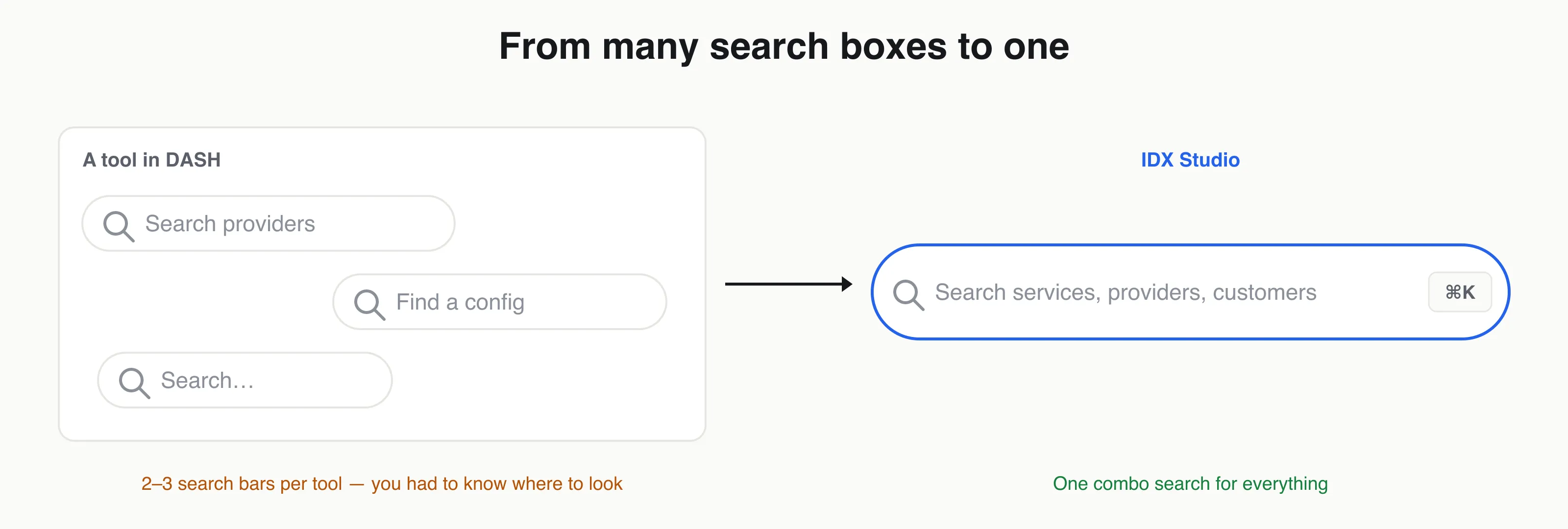
Finding anything in the old platform (DASH) meant first knowing where to look. Each tool had its own way of searching — often two or three separate search bars in a single tool (search providers here, find a config there). If you didn’t already know which tool and which box, you were stuck hunting.
One combo search
(Below.) As part of IDX Studio, we consolidated all of that into a single quick/combo search: one box, available everywhere, that searches across services, providers, customers, and more — and takes you straight to the entity you want. No knowing where to look; no choosing the right search bar.
The fastest path is no clicks at all
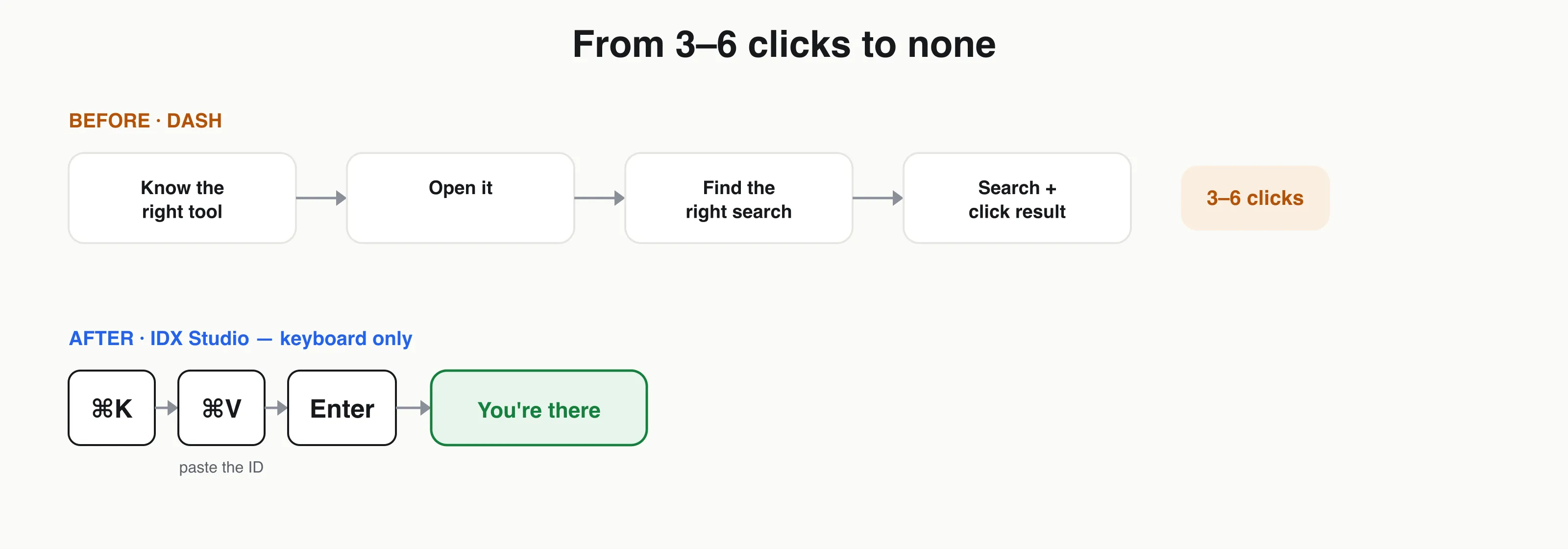
(Below.) The detail I’m proudest of: you never have to touch the mouse. Hit ⌘K to open quick search from anywhere, ⌘V to paste an ID (a customer ID, an integration ID), and Enter — you land on it. A trip that took 3–6 clicks in DASH becomes a two-keystroke, mouse-free jump.
Why it mattered
- Reaching a specific entity dropped from 3–6 clicks to one — or zero, keyboard-only.
- One mental model for finding anything, instead of a different search in every tool.
- It’s the feature people got most excited about — small surface area, outsized daily payoff for the power users who live in the platform.
What I learned
The features that earn daily loyalty are often the unglamorous ones. Shaving a few clicks off something people do dozens of times a day compounds — and designing for the keyboard, not just the mouse, is what turns a “nice” feature into one people actually love.