Context
Prisma Cloud is a large, deep cloud-security platform — and that depth is a double-edged sword. To answer a question like “what’s actually my biggest risk right now?”, a security engineer had to know exactly where to look, run the right queries, and stitch the findings together. Investigation was slow and demanded expert knowledge of the product itself.
In 2023, as generative AI broke open, we saw the opportunity immediately: an LLM-powered Copilot connected to a customer’s own ingested security data, that answers questions in plain language — from “what package is most widely used and has the most patchable critical CVEs?” to “what’s my asset coverage for vulnerability and compliance scans?” I led the UX/design for it, partnering with a designer on my team, Product, and Engineering.
The model was the easy part. The real design challenge: security engineers don’t trust black boxes, and in security a confidently wrong answer is dangerous. Four problems defined the work.
1 · Designing for a skeptical user (trust)
A security professional won’t act on “because the AI said so.” So we designed for evidence, not assertion:
- Answers are grounded in the customer’s own data, not generic knowledge.
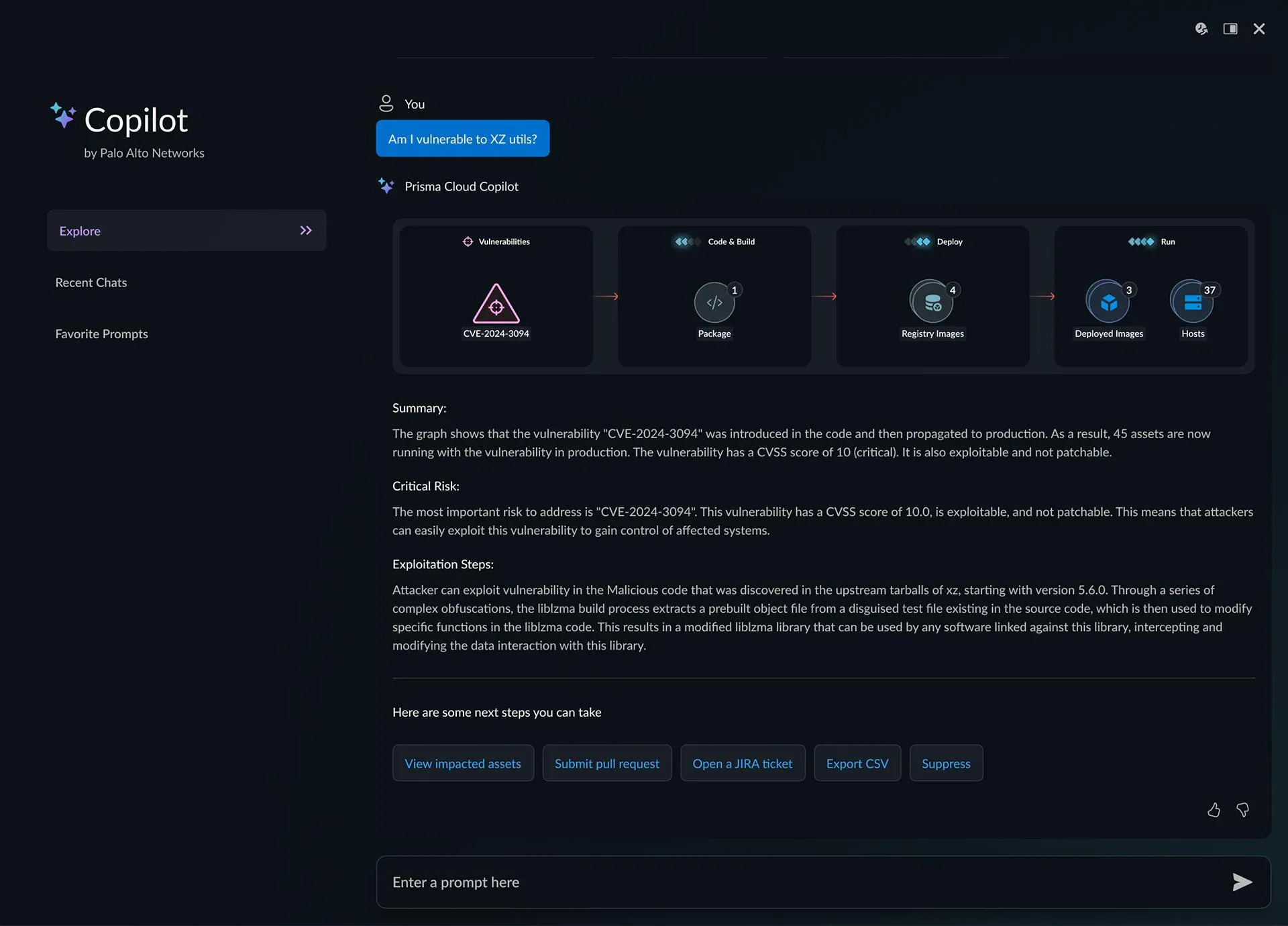
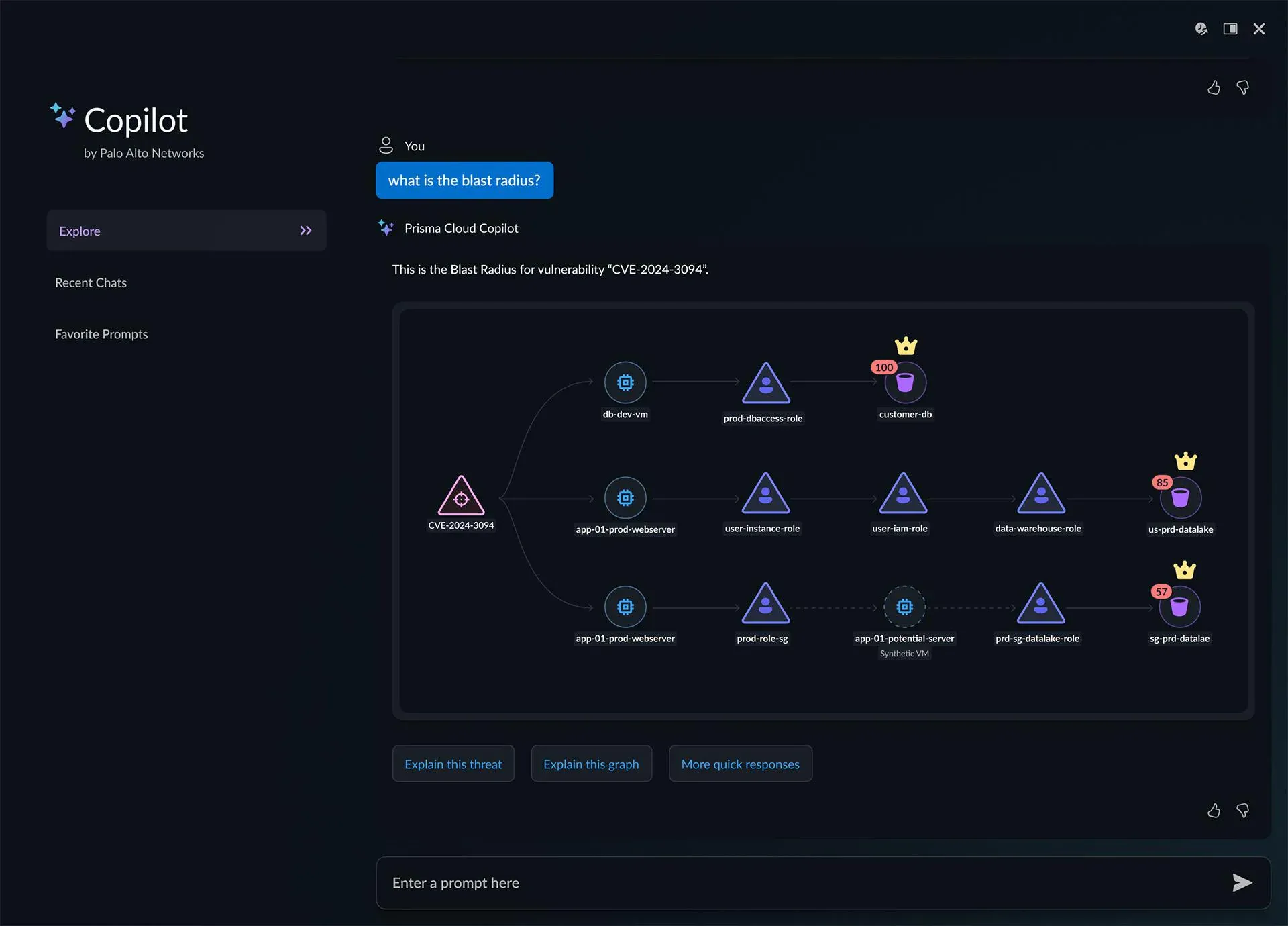
- Every risk answer is backed by a visualization — an attack path or blast-radius graph — so the reasoning is visible, not hidden.
- “Explain this threat” / “Explain this graph” let users interrogate the answer instead of taking it on faith.
- Honest framing about AI’s limits, so trust is earned rather than assumed.
2 · Teaching people what to ask (the blank-box problem)
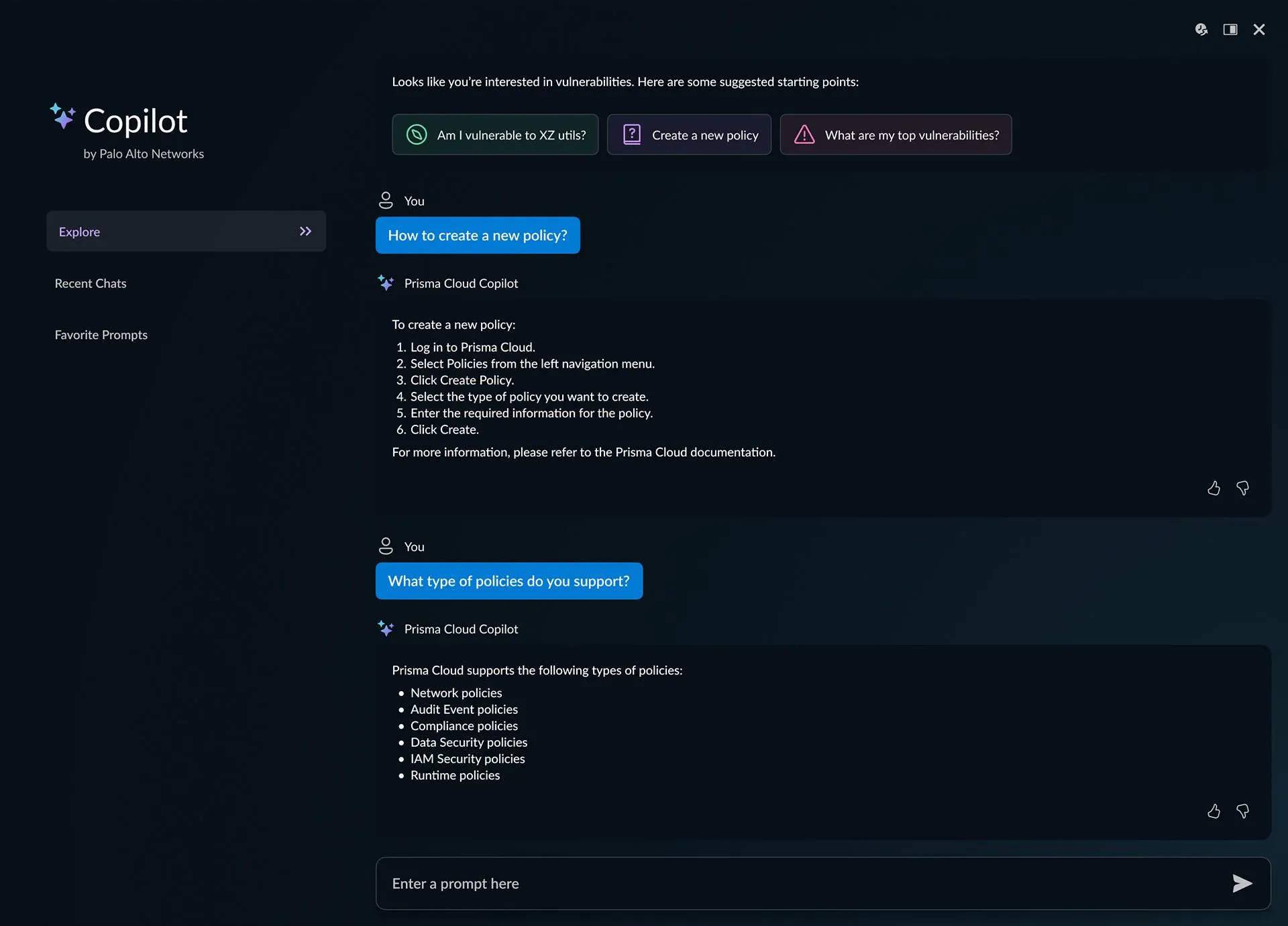
A blinking empty prompt is intimidating — most people don’t know what an AI can do. So the Copilot leads with suggested prompts (“What are my top risks?”, “Show me S3 buckets exposed to the internet”) and context-aware starting points, turning a blank box into an obvious first step and teaching the interaction by example.
3 · Making answers digestible
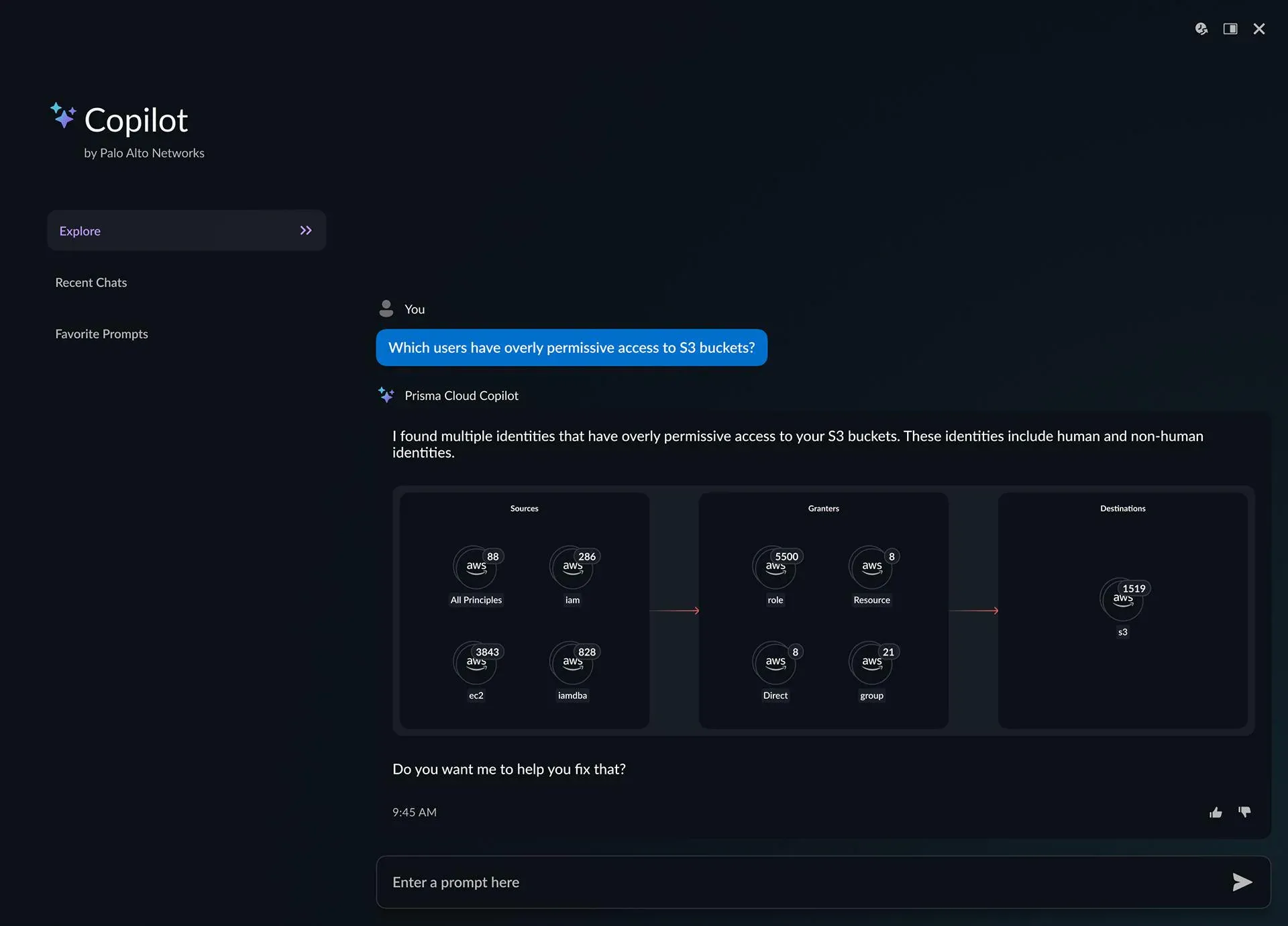
An LLM’s instinct is to reply with a wall of text. For security data that’s useless. We made the default answer a visualization — attack-path graphs, blast-radius maps, access diagrams — with the prose as support. The picture carries the meaning; the text fills in detail.
4 · From answer to action
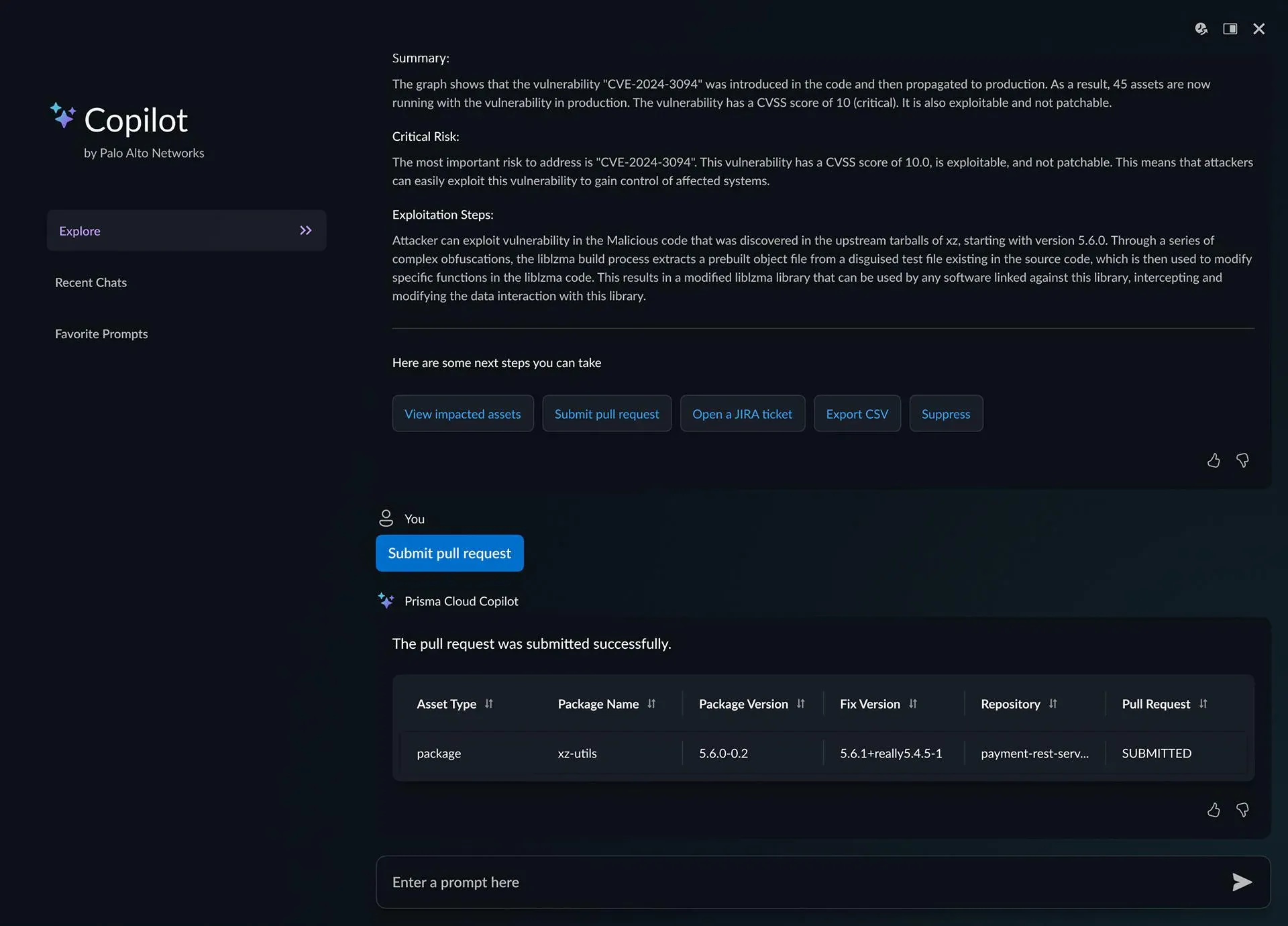
An insight you can’t act on is just trivia. So the Copilot closes the loop: from an answer, you can remediate in place — fix in code or cloud, open a pull request or a Jira ticket, suppress, or even open a support case — without leaving the conversation. It often offers the next step (“Want me to help you fix that?”), moving users from question → understanding → fix in one flow.
How we validated it
To make sure we were solving real problems and not designing in a vacuum, I helped run a design-partner program with CISOs and security leaders at global enterprises. Their feedback shaped what to surface, how much to explain, and where trust broke down — and it kept a novel, high-stakes product grounded in how security teams actually work.
Outcomes
- Led design and delivery of Prisma Cloud’s first AI Copilot — a first-of-its-kind generative-AI experience in cloud security at the time.
- Shipped to a phased GA rollout for enterprise customers.
- Validated with CISOs and security leaders through the design-partner program.
And the feedback that meant the most:
“This has made our lives A LOT easier!”
“The first thing I do every morning now is talk to the AI Copilot.”
What I learned
Designing AI for a low-trust, high-stakes domain flips the usual priorities: the interaction isn’t about the model’s cleverness, it’s about evidence, control, and a path to action. Show your work, let people verify, and always give them somewhere to go next — that’s what turns a skeptical expert into a daily user.